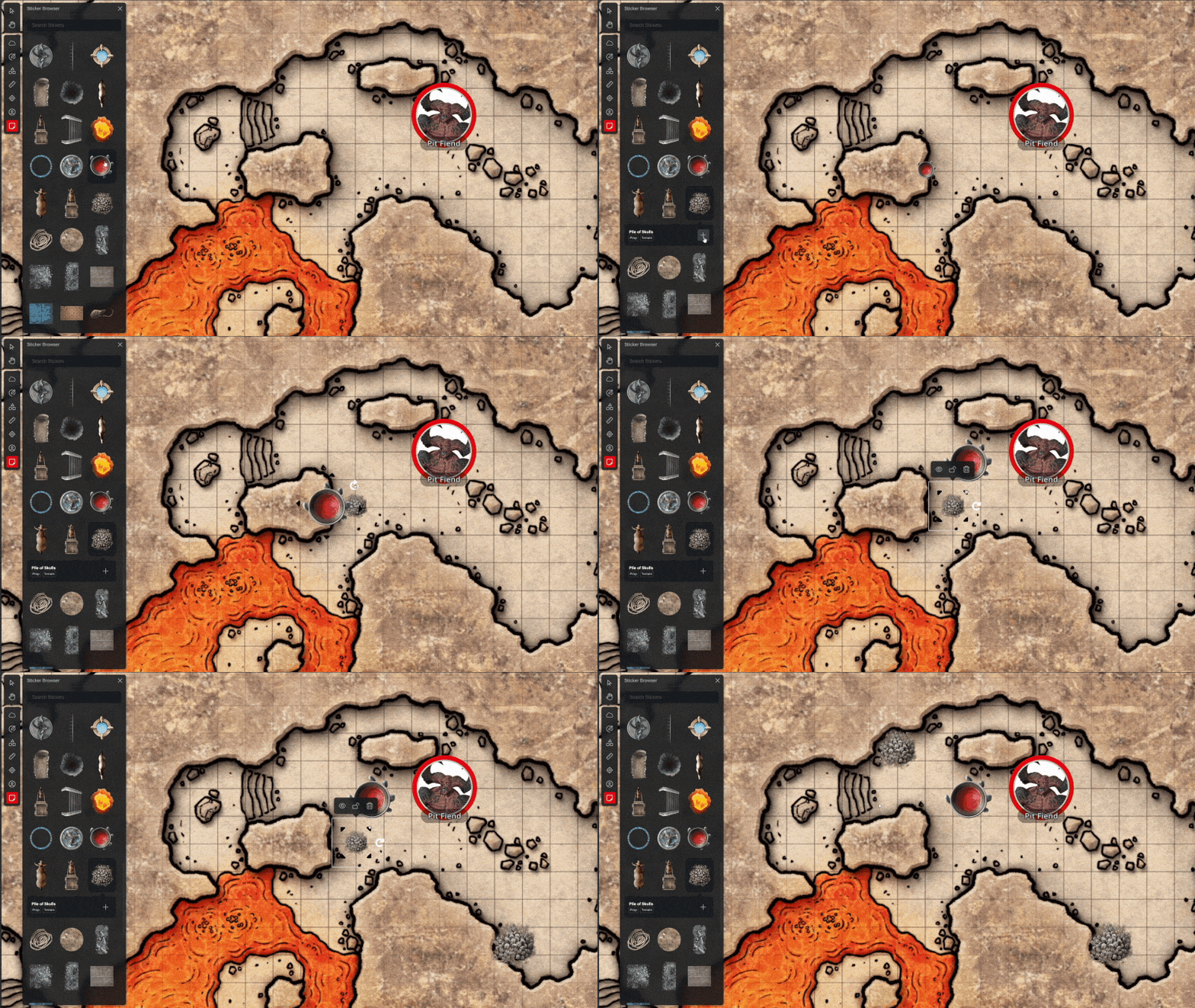
Stickers allow you to add various props and effects to your maps such as treasure chests, traps, or molten lava. Stickers are accessed by selecting the Sticker Browser button from the menu, or by pressing the "S" key.
Clicking on a sticker will display its name, what searchable tags it has, and the + button to add it to your map. Alternatively, you can drag a sticker directly onto the map in the same way as tokens.
Once you’ve placed a sticker on the map, you have a variety of options. Clicking the sticker will select it and clicking and dragging will allow you to move it around the map. Stickers have their own menu, from which you can toggle its visibility, lock it in place, and delete it in the same way as tokens.
You can also rotate and resize stickers using the four corner handles and the rotate handle.
When scaling a sticker, its width in feet based on its default rotation will be displayed, allowing you to easily gauge how big you’re making it.