The draw feature allows Dungeon Masters to mark the map using a variety of colors and brush sizes, as well as erase some or all of those same marks. This is a very useful feature for marking points of interest, special details, or game effects.
You can find the draw feature in the toolbar, the third icon down of a pen with a circular line around it.
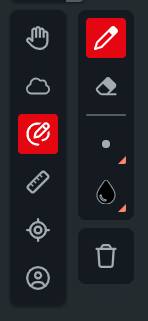
The draw feature has five options from top to bottom:
- Draw: This sets your brush to draw in the selected color and brush size.
- Erase: With this mode selected, the feature will erase any markings at the selected brush size.
- Size: You can select from five different brush sizes ranging from tiny to gargantuan.
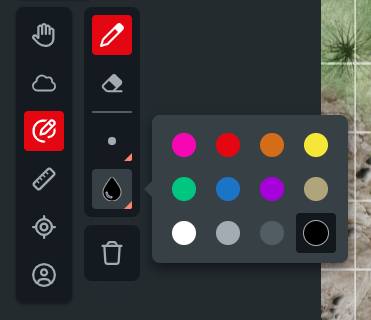
- Color: From this menu, you can select from twelve different line colors.
- Clear All: This removes all marks from your current map.
Only Dungeon Masters can use the draw feature, but all players can see marks made using it. Drawings made will persist on a map even after you switch away from the map or they are hidden by fog of war.
Related to